Every room. Every stay.
Plan by day, week or month. Group rooms by wing, reorder kennels and save your desktop zoom level.
See it in actionA room planner you can read at a glance. Care actions where you need them. Records you can confidently hand over.
Actual app screens, captured at 2× density · fictional PawPlanner Preview data
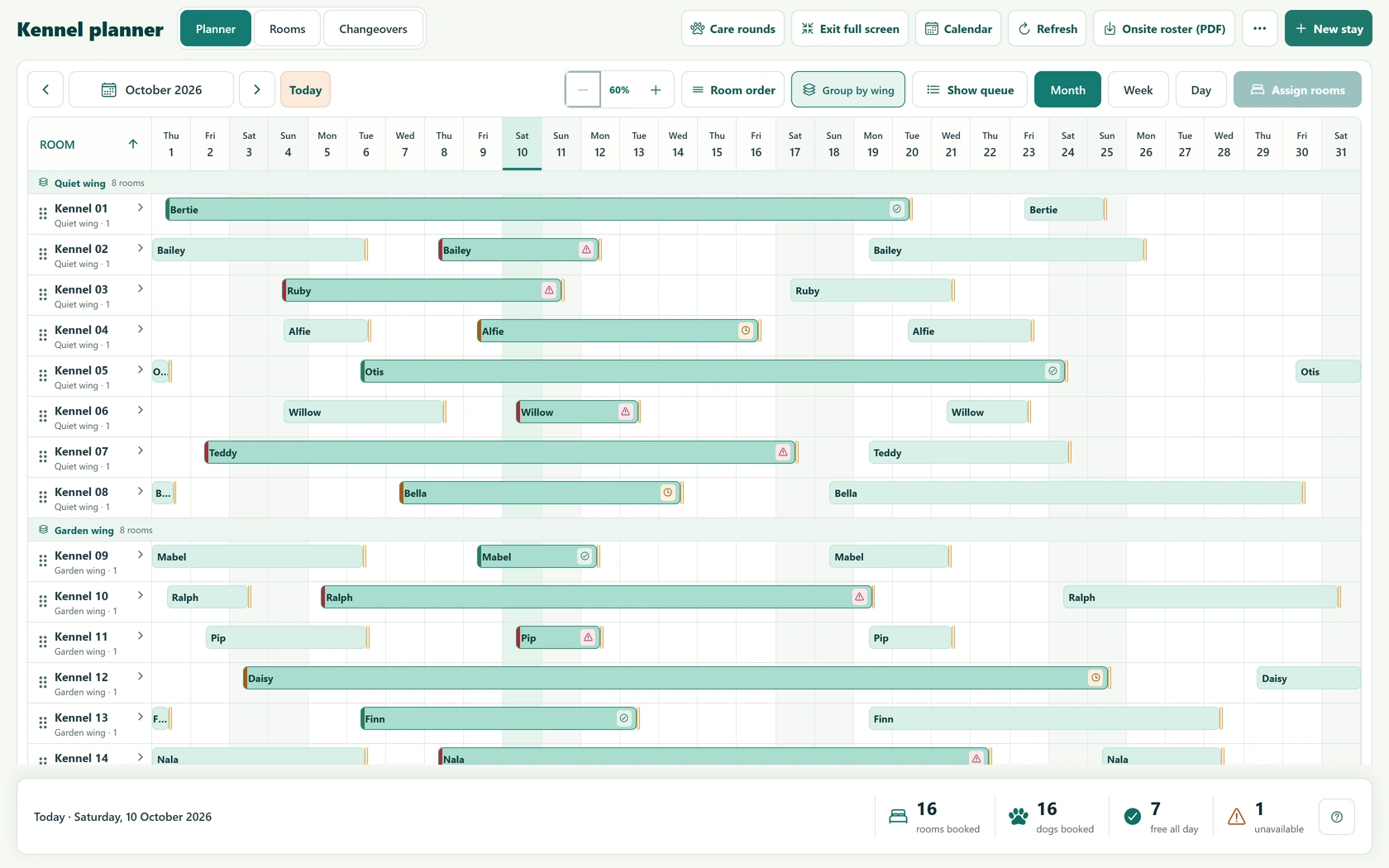
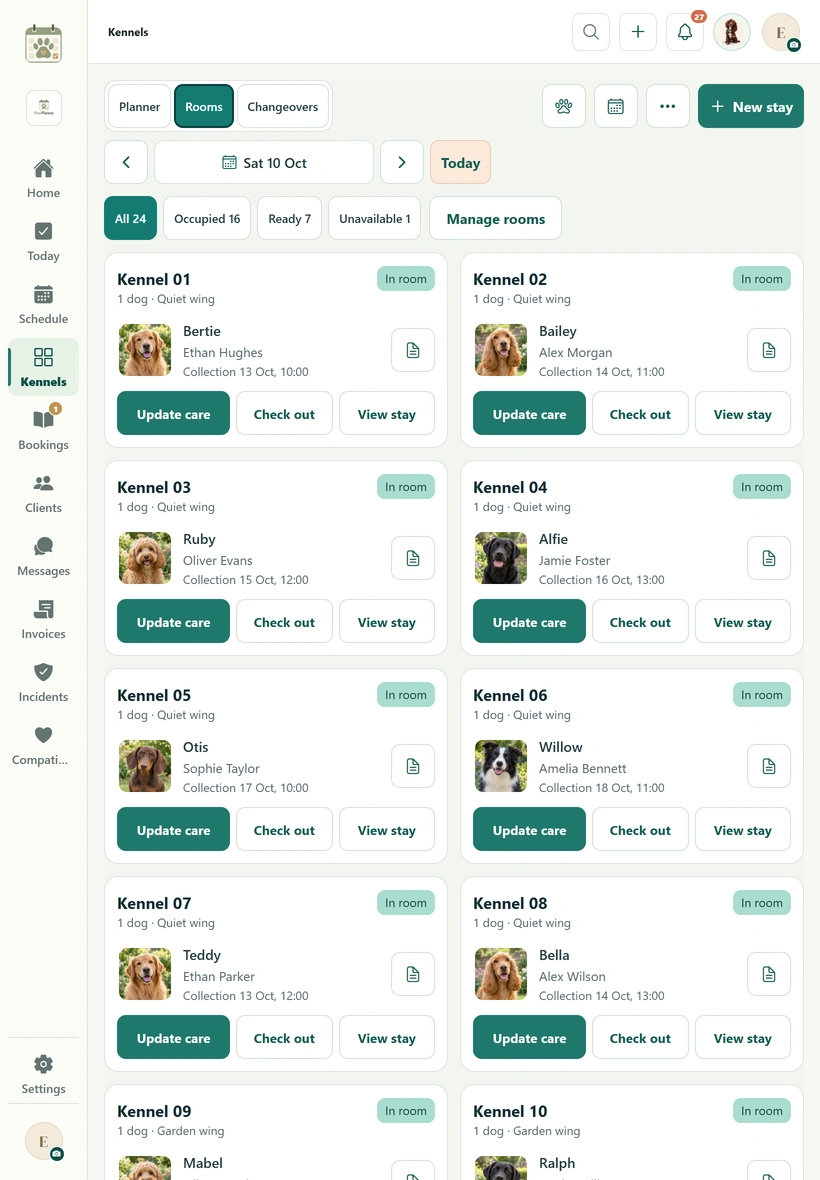
See where each dog is staying, when rooms become free and what needs attention. Open the stay straight from its Gantt bar.
Plan by day, week or month. Group rooms by wing, reorder kennels and save your desktop zoom level.
See it in actionSplit a stay between rooms and record a physical move without rewriting the dog’s whole booking.
See it in actionDay, week and month views · wing grouping · remembered room order & desktop zoom · care attention colours · room capacity & turnaround checks
Choose desktop, tablet or mobile. Enlarge a screen to read the details — these are captures of PawPlanner itself.
Fictional preview rooms, households and dogs. The report-card screen shows the latest app preview build.
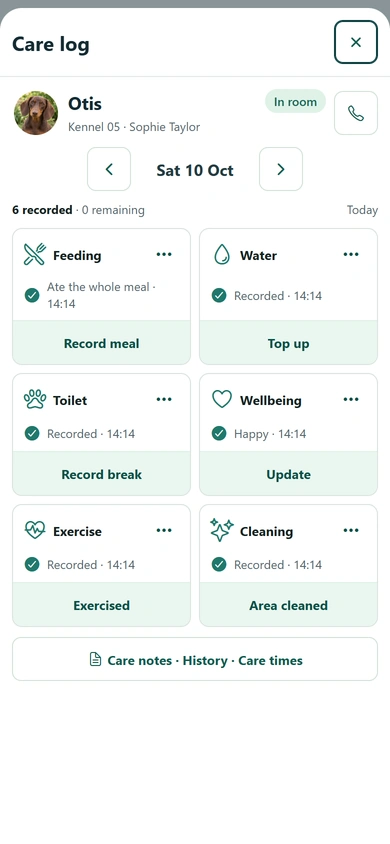
Use care rounds across the kennel, or open a dog’s care log from its stay. Due, overdue and recorded care help your team see where to start.
Record meals, water, toilet breaks, exercise, wellbeing and daily cleaning from the stay or care rounds.
Review the dog’s medication plan and dose times. See reminders, record doses and follow up missed care.
Recorded time & staff member · wellbeing choices · notes for concerns and missed care · recorded history & corrections · medication dose review
Put a PawPlanner QR label on each room. A quick scan opens the dogs currently in that kennel, with their care logs close to hand.
Staff access and permissions still apply after a scan.
View an example room label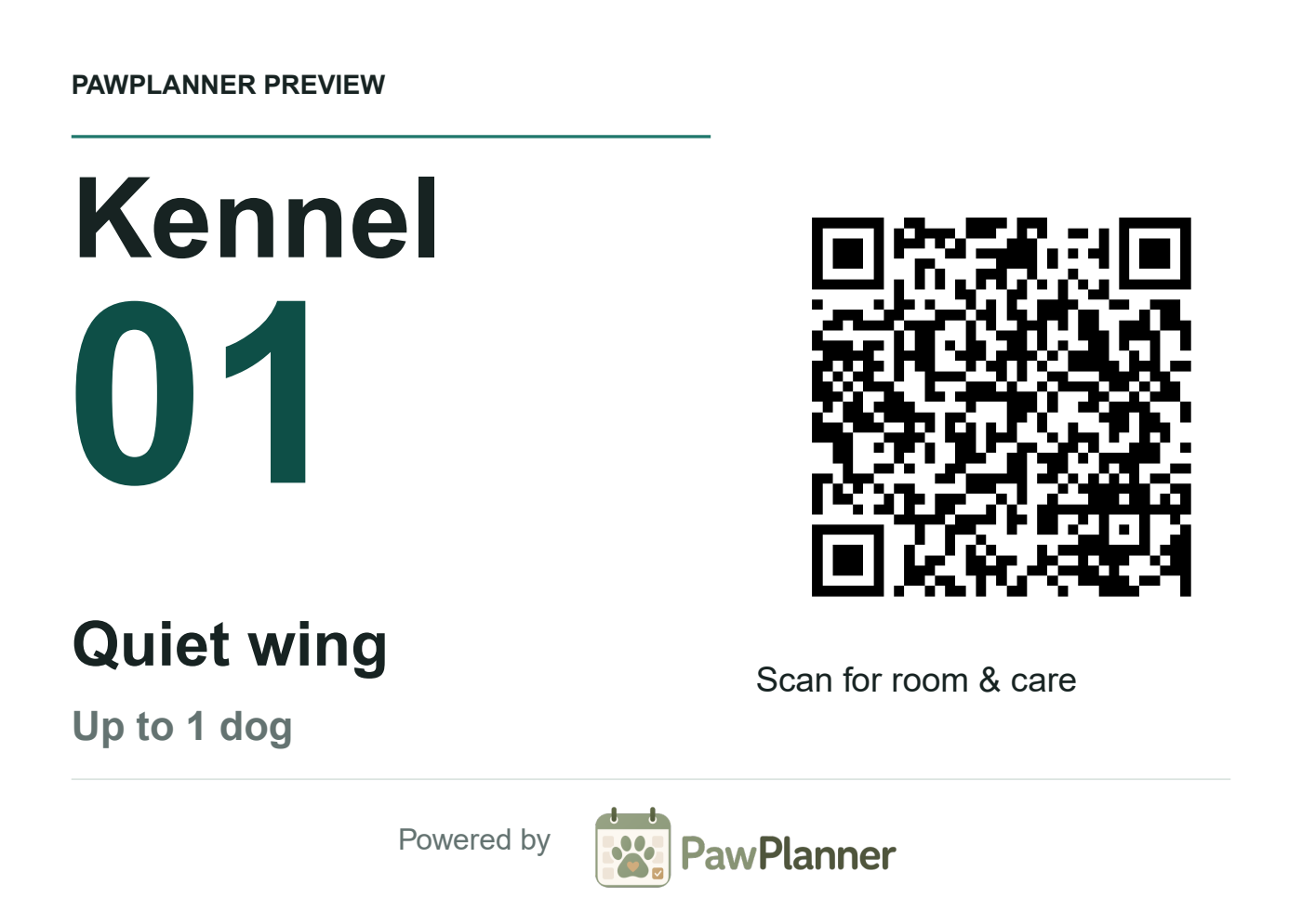
Keep the checks with the action. Review before admission, return the recorded belongings and confirm who is collecting the dog.
Review vaccination evidence, outstanding information and permissions before confirming check-in.
Follow collections, cleaning checks and turnaround before the next dog arrives. Block rooms for maintenance.
Vaccination reminders & evidence review · admission warnings · authorised collectors · recorded exceptions · room readiness
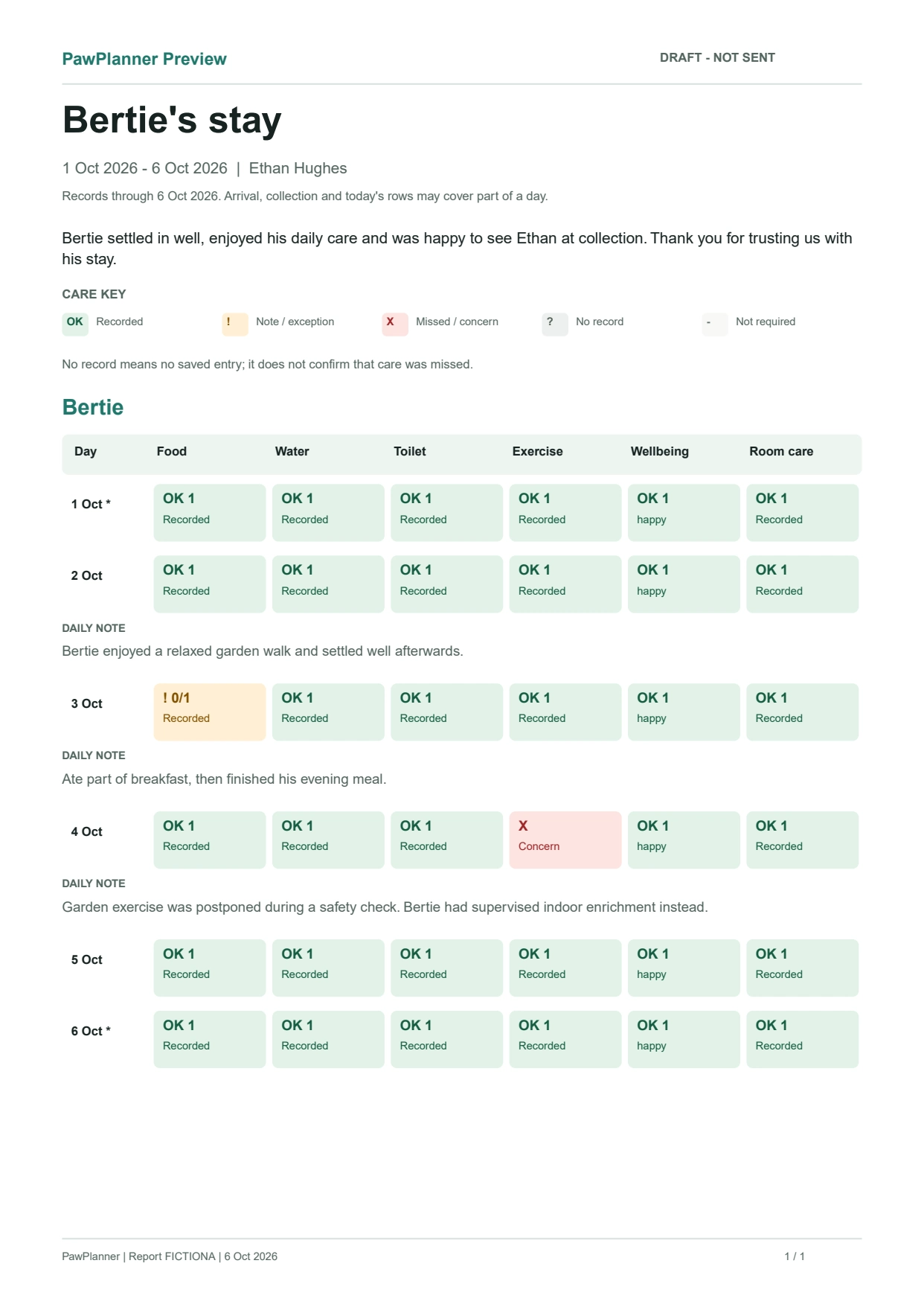
Review each day’s care, choose the notes and photos to include, then give the owner a clear record of their dog’s stay.
Example report from the latest app build, using fictional care data.
Use staff presets and individual permissions, with badge or PIN access on a shared business device.
Keep preparation, belongings, authorised collection, messages and updates alongside the stay.
Keep arrival and departure records, dog and owner details, vaccination evidence, permissions, medication, care and cleaning records together. Export an onsite roster and operational reports when you need them.
PawPlanner supports the records and daily checks used by kennel businesses. Your premises, procedures and licence conditions still need to meet your local authority’s requirements.
Read the kennel boarding guidance for EnglandAlso connected: booking requests & waitlists · quotes · invoices & payment plans · incidents & handovers · occupancy and business reports
Yes. Kennel boarding can share your business workspace with home boarding, daycare and other services. Kennel room allocation and capacity remain specific to kennel accommodation.
Yes. Plan dated room segments or record a room move during the stay. Historical room assignments and the dog’s care records stay with the booking.
Yes. An owner can set up staff profiles with permissions and badge or PIN access on a signed-in shared business device. Individual access can be adjusted by the owner.
No. PawPlanner helps you organise records and checks; your local authority assesses your premises, care procedures and licence requirements.
Take a closer look at PawPlanner for your business.